
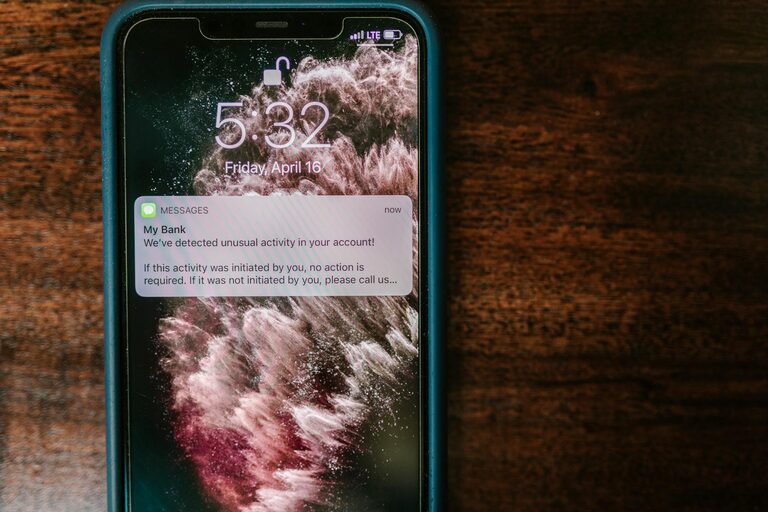
In today’s digital world, notifications are everywhere—popping up on our phones, computers, and even smartwatches. While they can be helpful reminders, constant alerts often pull us away from tasks, leading to stress and reduced productivity. Setting clear boundaries with notifications is an important step toward regaining control over your time and attention.
In this article, we’ll explore practical strategies to manage notifications effectively, helping you maintain focus and balance throughout your day.
Why Setting Boundaries with Notifications Matters
Before diving into the tips, it’s useful to understand why notification overload can be problematic:
– Disrupted Focus: Frequent alerts interrupt deep work and make it hard to regain concentration.
– Increased Stress: The pressure to respond immediately can create anxiety.
– Reduced Productivity: Time spent checking non-urgent messages adds up.
– Sleep Disturbances: Notifications at night can negatively affect rest and recovery.
By setting boundaries, you reduce these effects, giving yourself space to work, relax, and recharge.
Tips for Setting Boundaries with Notifications
1. Audit Your Notifications
Start by reviewing which apps and services send you notifications. Most devices allow you to see a list of apps that generate alerts.
– Identify apps that send frequent or unnecessary notifications.
– Decide which ones are truly important for your personal or work life.
– Disable notifications for apps that don’t warrant immediate attention.
Taking this step helps you focus only on meaningful alerts.
2. Customize Notification Settings
Smartphones, tablets, and computers provide detailed settings to fine-tune notifications. Use these options to:
– Choose notification types: Allow sounds, badges, or banners selectively.
– Set priority alerts: Mark important contacts or apps to bypass “Do Not Disturb” mode.
– Schedule quiet hours: Set specific times, such as during work or sleep, when notifications are silenced.
Fine-tuning helps reduce distraction while ensuring you don’t miss critical messages.
3. Use Do Not Disturb and Focus Modes
Many devices include “Do Not Disturb” or “Focus” modes designed to pause notifications temporarily.
– Enable these modes during focused work sessions or meetings.
– Set up automatic schedules—for example, a work block in the morning or sleep time at night.
– Customize allowed interruptions, such as urgent calls or family messages.
These features create clear boundaries without disconnecting you completely.
4. Limit Notifications on Multiple Devices
Receiving the same alert on a phone, laptop, and tablet multiplies interruptions.
– Decide which device to prioritize for notifications.
– Turn off redundant notifications on other devices.
– Consider syncing notification settings across devices for consistency.
This helps prevent notification overload and simplifies how you respond.
5. Turn Off Social Media and App Notifications
Social media apps and games often send frequent, attention-grabbing alerts designed to keep you engaged.
– Disable notifications from social media and entertainment apps.
– Check them intentionally rather than reacting to unpredictable pings.
– Use apps or browser extensions that block distracting sites during focused time.
Reducing these notifications helps protect your time and focus.
6. Respond to Notifications Intentionally
When you receive a notification, try to pause before reacting.
– Ask yourself if immediate response is necessary.
– Schedule specific times during the day to review messages and alerts.
– Use email or messaging tools that support “send later” or message batching.
This approach prevents reactive, fragmented attention and supports better time management.
7. Communicate Your Boundaries
Inform colleagues, friends, and family about your notification boundaries.
– Let them know when you will check and respond to messages.
– Encourage understanding about delayed replies during “focus time.”
– Use status messages or auto-replies to clearly communicate availability.
Clear communication reduces pressure to respond instantly and fosters respect for your time.
8. Regularly Reassess and Adjust
Your notification needs may change over time.
– Periodically review which notifications you receive.
– Adjust settings as your priorities or routines change.
– Experiment with different boundaries to find what works best for you.
Continuous improvement ensures your notification management adapts to your life.
Bonus: Helpful Tools and Apps
– Focus Assist (Windows): Helps silence notifications during work hours.
– Screen Time (iOS) / Digital Wellbeing (Android): Monitors and controls app usage and notifications.
– Freedom / Forest: Blocks distracting websites and apps to maintain focus.
– Email batching tools: Help group emails for scheduled review.
Using these tools can support your efforts to manage notifications efficiently.
Final Thoughts
Notifications are useful when managed carefully, but they should serve your needs—not control your attention. By auditing alerts, customizing settings, using focus modes, and communicating boundaries clearly, you’ll create a healthier relationship with your digital devices.
The result? Less stress, more focus, and greater productivity in work and life. Start small today—turn off unnecessary notifications and give yourself the gift of uninterrupted time. Your mind will thank you!